Why Is My Paid E-Challan Still Showing Active? Easy Solution
چالان ادا کرنے کے بعد بھی پورٹل پر شو کیوں ہو رہا ہے؟
You scanned your 17-digit PSID code, the banking app confirmed the deduction, but when you return to the PSCA portal to print the clearance certificate, the red “Unpaid” badge is still staring right back at you! Here is the immediate, technical reason why this visual glitch happens, and the 2026 trick to forcefully refresh the status safely.
The 3 Core Sync Delays Explored
چالان اپڈیٹ ہونے میں تاخیر کی 3 بڑی وجوہات
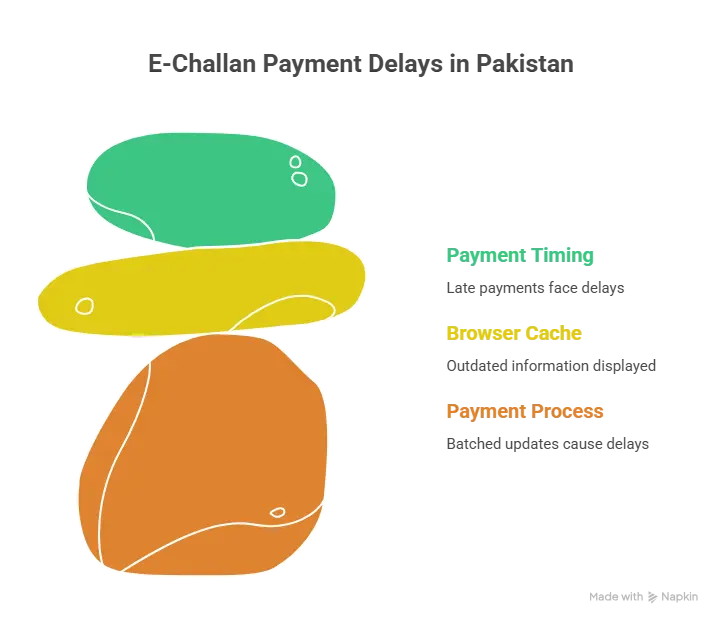
1Link Batch Updates
Your bank does not directly hit the Safe City servers. Funds process via the 1Link Gateway, which batches clearance files every 120 minutes.
پیسے براہ راست پولیس کو نہیں بلکہ 1Link کے ذریعے جاتے ہیں، جو ہر 2 گھنٹے بعد سسٹم کو اپڈیٹ کرتا ہے۔
The Browser Cache Trap
Your phone’s browser saves the previous “Unpaid” page layout to save data. You are staring at an offline ghost copy, not the live updated server.
اکثر آپ کا موبائل پرانا رزلٹ دکھا رہا ہوتا ہے، اس لیے ہمشہ براؤزر ہسٹری کلیئر کر کے دوبارہ چیک کریں۔
Night Shift API Drops
If you paid your challan after 11:00 PM, some network APIs temporarily go into maintenance, halting the visual update until morning hours.
رات 11 بجے کے بعد یا سرکاری چھٹی والے دن اکثر بینکنگ سسٹم سست کام کرتے ہیں، اس لیے صبح تک انتظار کریں۔
DO NOT PAY IT AGAIN!
If the amount left your account, you are completely legally covered. Double payments take upwards of 90 days of paperwork to legally refund from the state treasury.
اپنے اکاؤنٹ سے پیسے کٹنے کے بعد کبھی بھی دوبارہ چالان پے نہ کریں، چاہے پورٹل پر چالان ایکٹیو نظر آ رہا ہو۔
The 3-Step Instant Refresh Protocol
سٹیٹس اپڈیٹ کرنے کے 3 فوری اور آسان طریقے
Force Clear Browser History
Kill your browser tab entirely. Clear the “Cookies and Cache” from your browser settings. Finally, re-type the PSCA URL completely fresh. In 70% of cases, the cache wipe fixes the error instantly!
اپنے براؤزر کی ہسٹری اور کیشے (Cache) فوراً ڈیلیٹ کریں اور دوبارہ سرچ کریں۔
Download The e-Pay Punjab App
The website is known to lag, but the official mobile app is directly linked to the central treasury. Type your vehicle number into the e-Pay app. If it shows “No Liabilities,” your challan is officially cleared.
ای پے پنجاب (e-Pay Punjab) ایپ ڈاؤن لوڈ کریں، اس میں ریکارڈ زیادہ جلدی آن لائن اپڈیٹ ہوتا ہے۔
Verify via SMS Text Block
Simply type your complete chassis number in your message box and send it directly to 8785. The automated system reply is the final digital proof of clearance needed by wardens.
اپنا چیسز نمبر لکھ کر 8785 پر ایس ایم ایس کریں، اگر جوابی میسج میں کوئی چالان نہیں تو مطلب آپ کلیئر ہیں۔
حتمی نتیجہ (Conclusion)
ای چالان ادا کرنے کے باوجود ‘Unpaid’ لکھا آنا پاکستان میں صرف ایک ٹیکنیکل تاخیر (Technical Lag) ہے۔ اگر آپ کے بینک اکاؤنٹ یا جازکیش سے پیسے کٹ چکے ہیں اور آپ کے پاس موبائل رسید موجود ہے، تو آپ کو پریشان ہونے کی بالکل ضرورت نہیں ہے۔
کسی بھی صورت میں چالان دوبارہ ادا کرنے کی غلطی نہ کریں ورنہ رقم کی واپسی میں مہینوں لگ سکتے ہیں۔ کم از کم 2 سے 3 گھنٹے انتظار کریں اور پھر براؤزر کی ہسٹری کلیئر کر کے دوبارہ چیک کریں۔ اگر پھر بھی مسئلہ حل نہ ہو تو براہ راست اپنی بینکنگ رسید [email protected] پر ای میل کر دیں۔
Trending Solution Queries
اہم سوالات کے جوابات
Will I get penalized if the website doesn’t update in 30 days?
No. The fine doubling algorithm looks at the exactly logged timestamp of your bank transaction payment, totally overriding whatever visual delay the front-end website has.
Can a traffic warden fine me if the site shows unpaid?
If intercepted, confidently show the officer your digital EasyPaisa, JazzCash, or Banking App PDF receipt alongside the PSID. Law permits wardens to accept live digital receipts during system downtimes.
How do I report a payment that is completely lost?
If 48 hours pass and e-Pay still shows an active fine, email a screenshot of the successful deduction including the STAN/Transaction ID to [email protected] for an immediate manual trace.