How to Pay Your E-Challan via JazzCash & EasyPaisa? (2026 Update)
اپنے موبائل سے جاز کیش اور ایزی پیسہ کے ذریعے ای چالان کیسے جمع کروائیں؟
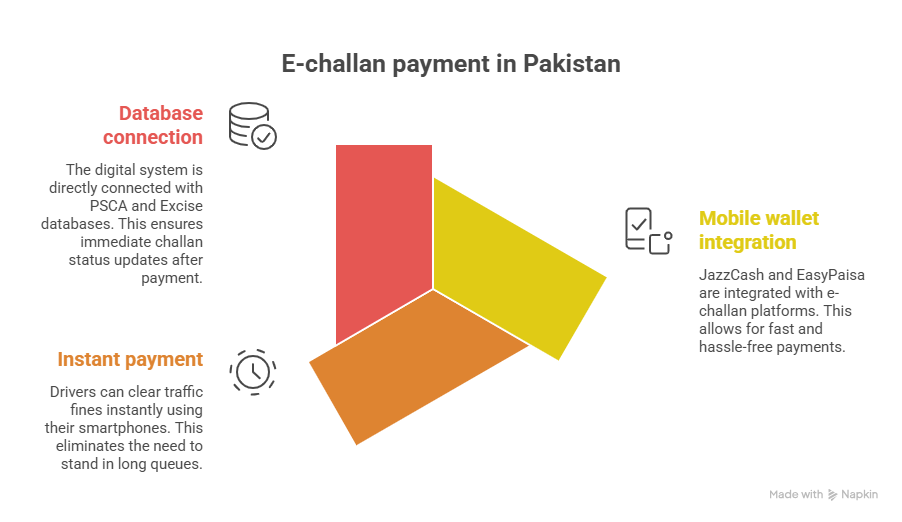
Gone are the days of standing in gruelingly long queues outside the National Bank just to submit a traffic court penalty. As of 2026, the Punjab Safe City Authority (PSCA) has successfully integrated their core penalty database with Pakistan’s top two mobile wallets: JazzCash and EasyPaisa.
Using these applications allows for instantaneous clearance. The moment your transaction is mathematically approved in the app, the E-Challan is digitally wiped from the central Excise and Police servers, protecting your vehicle from being impounded or blacklisted.
⚠️ Critical Pre-Requisite
Before opening either mobile app, you must possess a 17-Digit PSID Code. You cannot pay using simply your license plate number. Generate your unique PSID through the “e-Pay Punjab” application first. Once you have this 17-digit code copied to your clipboard, proceed to the tutorials below.
The JazzCash Method
Sign in and navigate to the base dashboard menu.
Scroll down to ‘Government Payments’ and select ‘Traffic Police’ or ‘e-Pay Punjab’.
Paste your 17-digit code. The app will fetch the fine amount. Enter your MPIN to pay.
The EasyPaisa Method
Login via biometric or 5-digit PIN.
Tap ‘See All’, scroll to ‘Bill Payment’, then find the specific ‘Traffic Challan’ portal.
Insert the 17-digit PSID code, verify the pending amount displayed, and tap ‘Pay Now’.
Frequently Asked Payment Queries
Q. Is the penalty instantly removed from the record?
Yes! The JazzCash and EasyPaisa APIs are directly linked to the central Punjab IT Board server. The moment the funds are deducted from your mobile wallet, the un-contestable API command immediately clears the E-Challan ticket status to “Paid”.
Q. The app says ‘Invalid PSID’. What is wrong?
A PSID has an active expiration date. If your E-Challan was ignored for too long, the 17-digit code may expire. You must log back into the e-Pay Punjab platform to generate a fresh, active PSID code.
Final Summary (حتمی نتیجہ)
Clearing your traffic fines in 2026 is entirely frictionless thanks to mobile financial integrations. Always ensure you possess a valid 17-digit PSID code before attempting to finalize the clearance via JazzCash or EasyPaisa, and always save a screenshot of the final digital transaction receipt.